Tinatanggal ng Zircon ang hindi tugmang modpacks nang walang hanggan. Pumili ng server, pindutin ang PLAY, at ang bawat mod ay ma-install at ma-verify nang cryptographic sa loob ng ilang segundo. Dagdag pa: 1-click import mula sa CurseForge & Prism, 4-player couch co-op, at LAN auto-discovery.
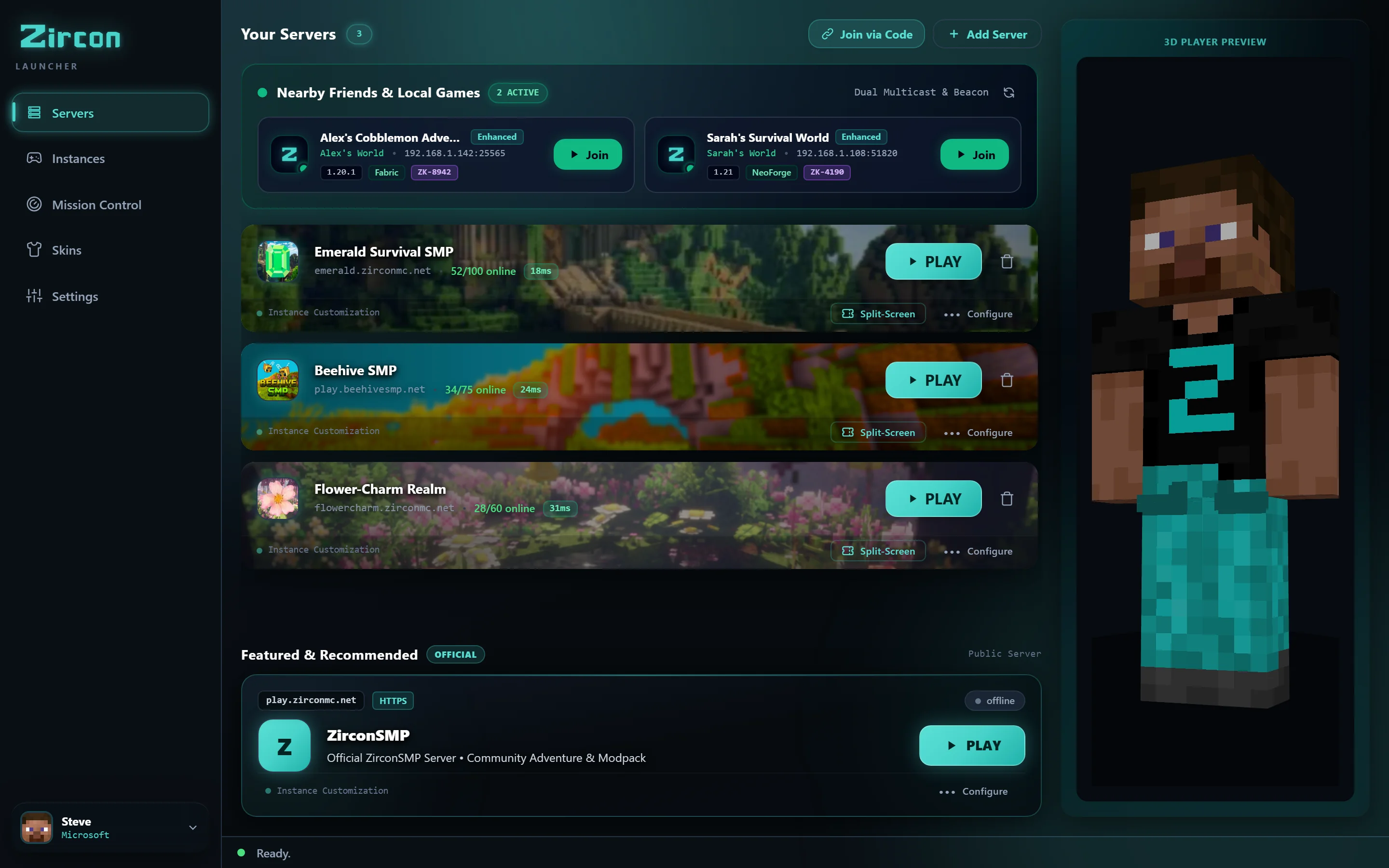
Tapusin ang 2-oras na away sa Discord bago ang game night. Pindutin lang ang PLAY at mag-spawn agad.
Binabroadcast ng server ang eksaktong Bill of Materials (BOM) nito sa port 25565 — mod IDs, version hashes, loader, at configs.
Inii-scan ng launcher ang iyong lokal na instance sa loob ng milliseconds, pinipigilan ang anumang file na meron ka na at tinatandaan lamang ang kulang.
Ang mga kulang na file ay nagda-download nang parallel direkta mula sa Modrinth and CurseForge CDNs. Walang corrupt JARs, walang version mismatches.
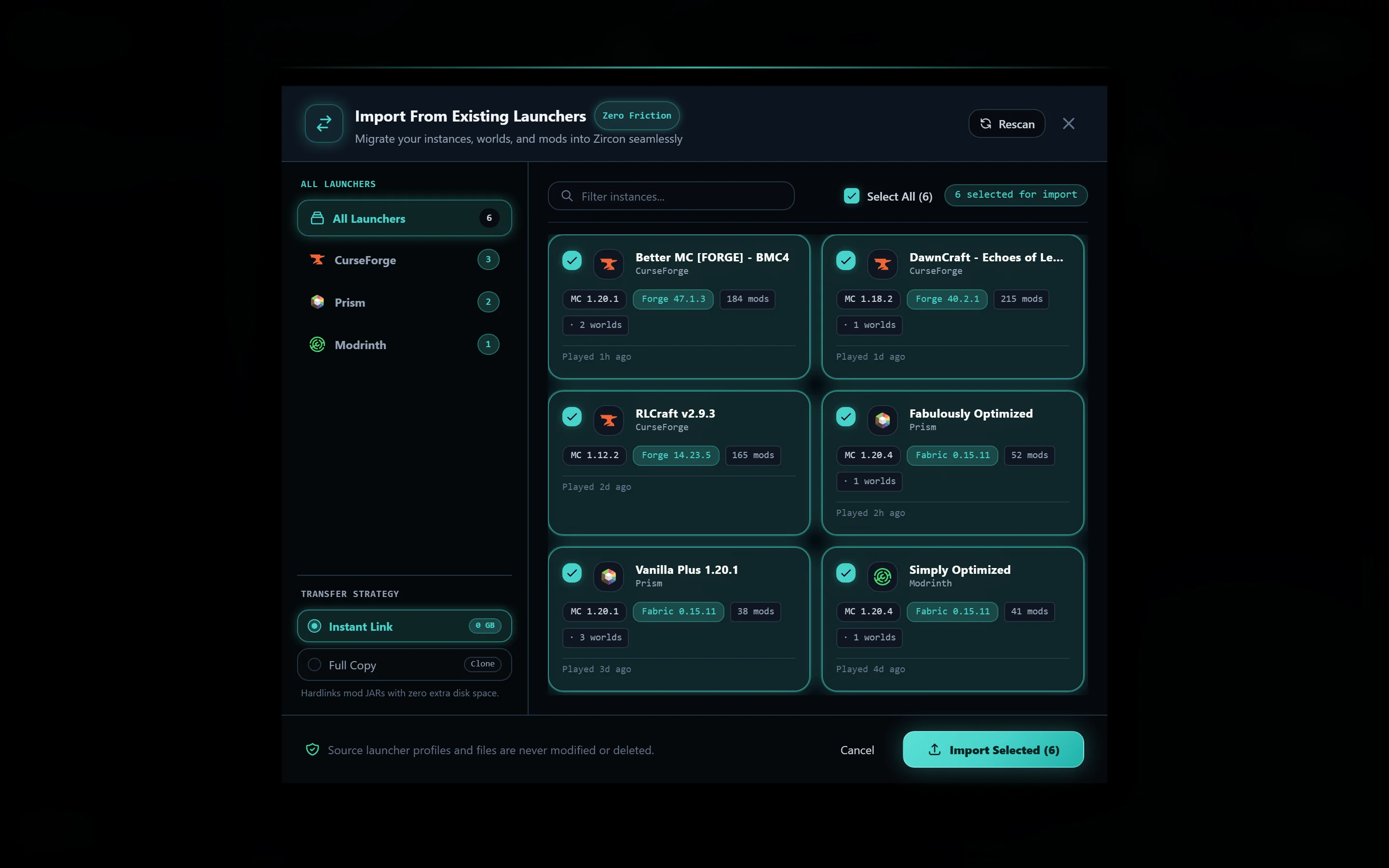
Huwag iwanan ang iyong worlds, keybinds, o modpack instances. Awtomatikong nadetect ng Zircon ang mga installed launchers at inililipat ang mga ito nang walang pagkawala ng datos sa loob ng 2 segundo.

Awtomatikong nadetect ang modpacks, overrides, custom configs & world saves.

Ini-import ang instance trees, JVM arguments, at world saves.
Pinananatili ang MR packs, index files, at custom resource packs.
Inililipat ang instances, custom backups & texture pack folders.
Kapag binuksan mo ang Zircon, ang aming native Rust detector ay hinahanap ang mga installed profiles sa iyong system. Pumili kung aling instances ang gusto mong i-import, at ililipat ng Zircon ang lahat sa malinis at isolated na sandboxes.
Every feature in Zircon was designed to remove friction so you spend your night playing, not troubleshooting.
Zero modpack mismatches. When you hit PLAY, Zircon connects to the server and computes cryptographic SHA-512 hashes against official Modrinth and CurseForge CDNs. Only missing delta files are fetched in parallel. No 1GB Google Drive zip archives ever again.
Instant zero-config multiplayer. Detects active LAN games on your home Wi-Fi automatically. Playing over the internet? Share a 6-digit Join Code with automated UPnP port forwarding—no Hamachi needed.
Switching from CurseForge, Prism, Modrinth, or ATLauncher? Our native Rust importer detects your profiles and copies saves, keybinds, and mod configurations in under 2 seconds.
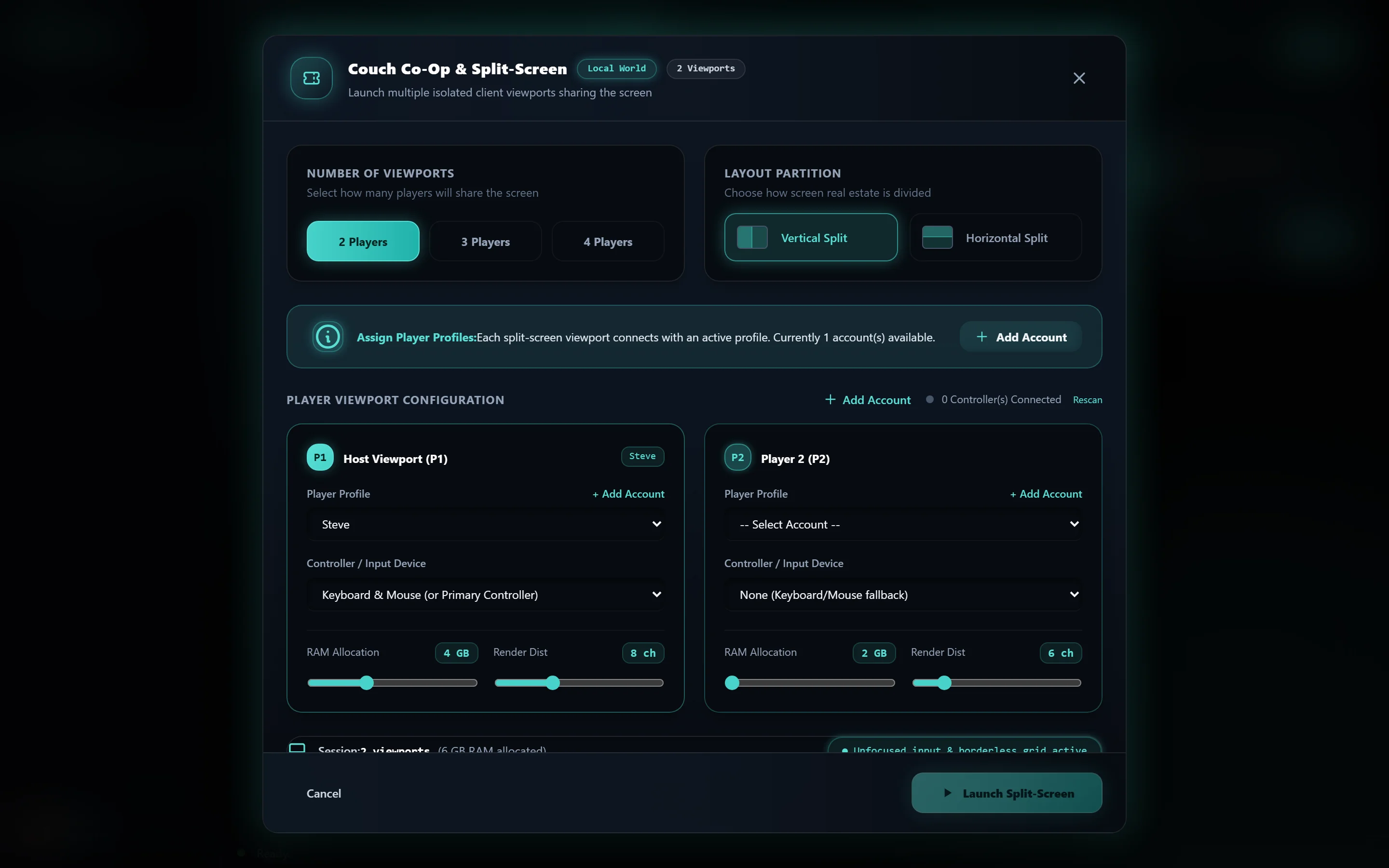
Turn your PC or TV into a living room console. Connect up to 4 Xbox, PlayStation, or generic Bluetooth gamepads and play modded Java Edition side-by-side with separate player profiles, skins, and viewport tiling.
Lahat ng pangarap mong feature sa ibang launchers — nakabuilt-in na sa iyong desktop app.
Gawing split-screen console ang iyong PC o living room TV. Ikonekta ang hanggang 4 Xbox, PlayStation, o generic Bluetooth gamepads at maglaro ng modded Java edition side-by-side na may hiwalay na inventories, viewports, at skins.
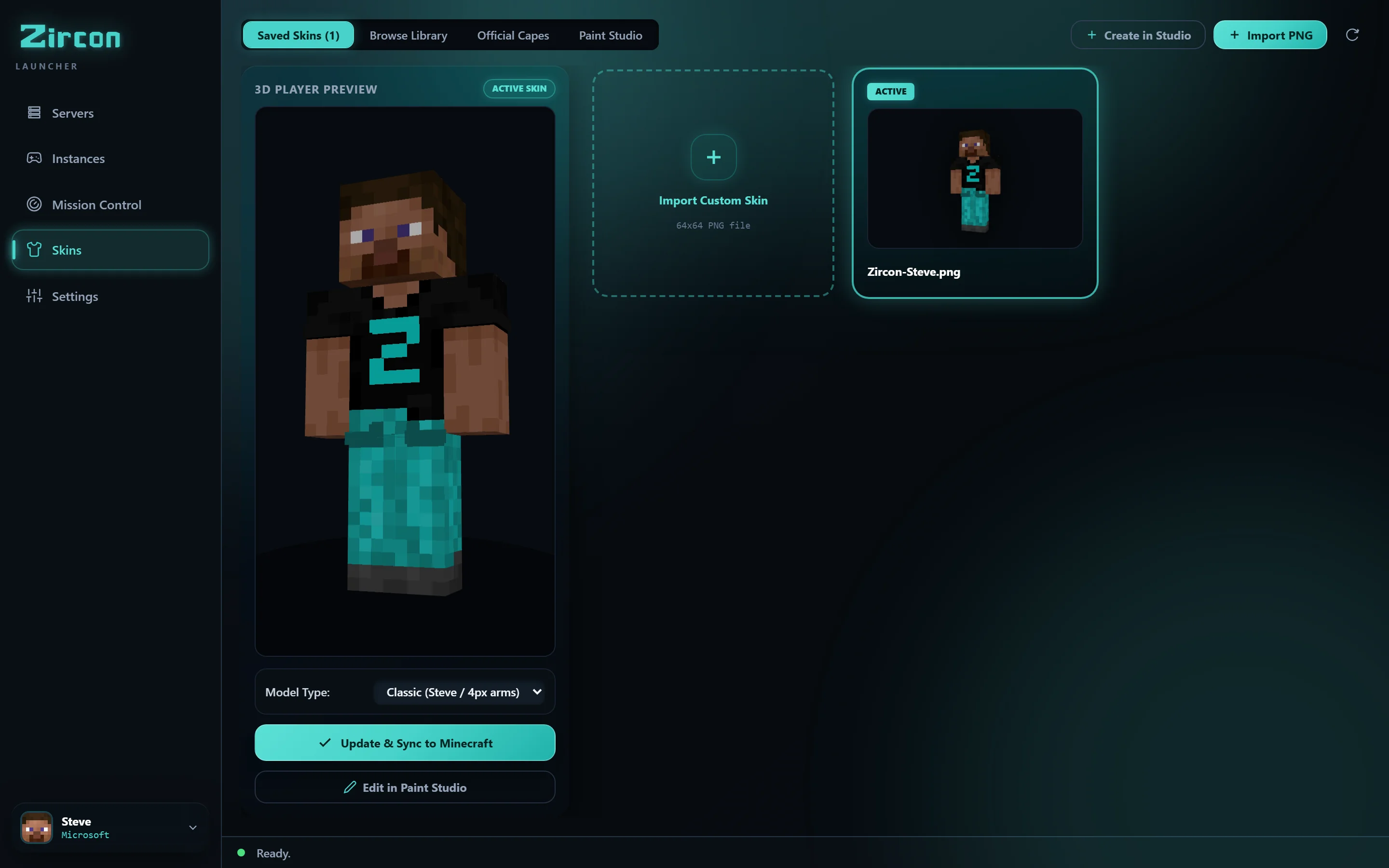
Huwag na hulaan kung paano mukhang ang skins bago i-load ang laro. I-rotate ang iyong character sa real-time 3D, mag-browse ng libu-libong trending community skins na kinuha direkta via API, at i-sync direkta sa official Mojang servers sa isang click.
Walang IP addresses na kailangang i-copy-paste. Walang Hamachi virtual networks. Walang pagbubukas ng router firewall ports. Kapag may nag-launch ng world o server sa iyong lokal na Wi-Fi, lumalabas ito awtomatikong. Naglalaro ba sa internet? Ibahagi ang 6-digit Join Code na may awtomatikong UPnP port forwarding.
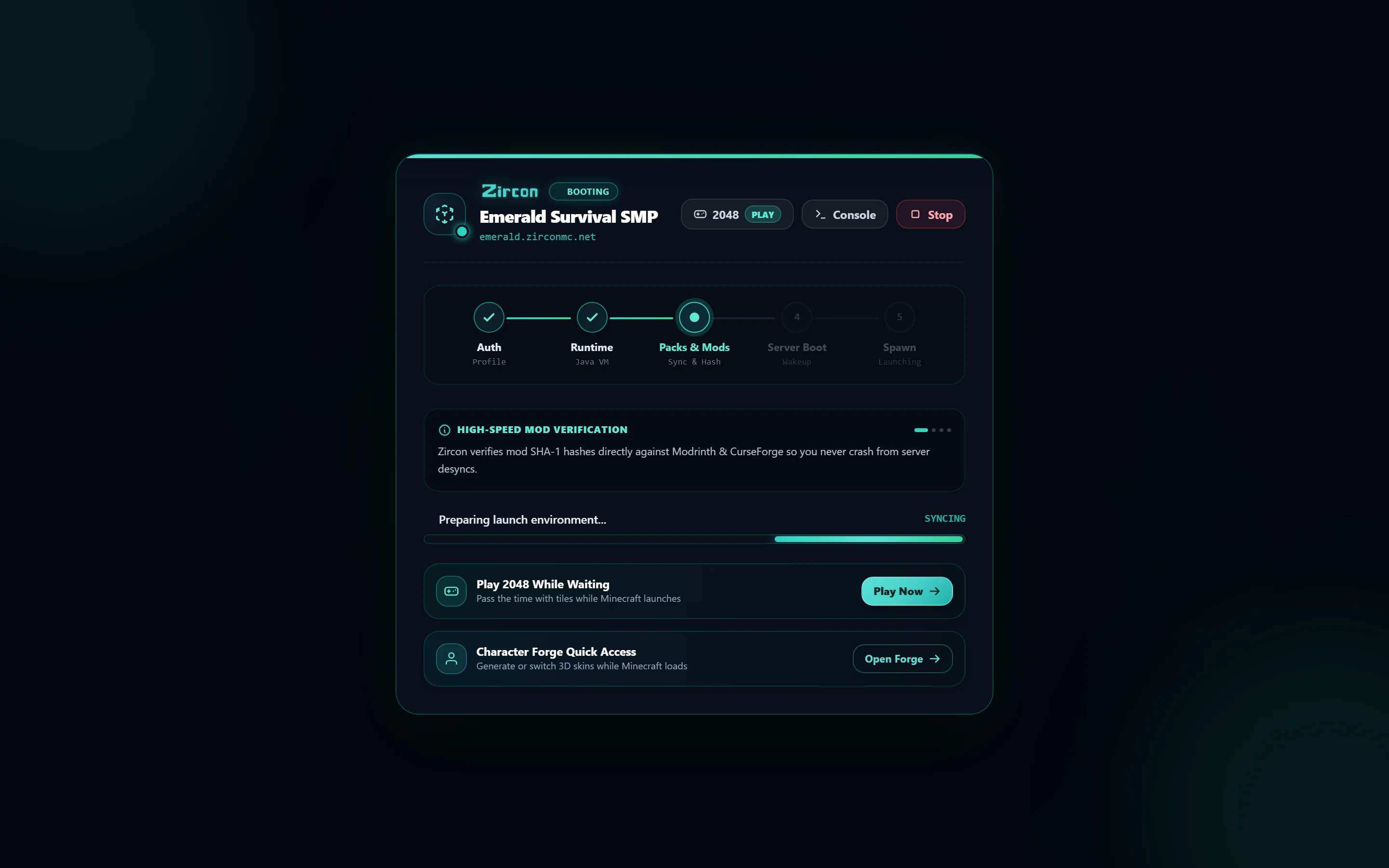
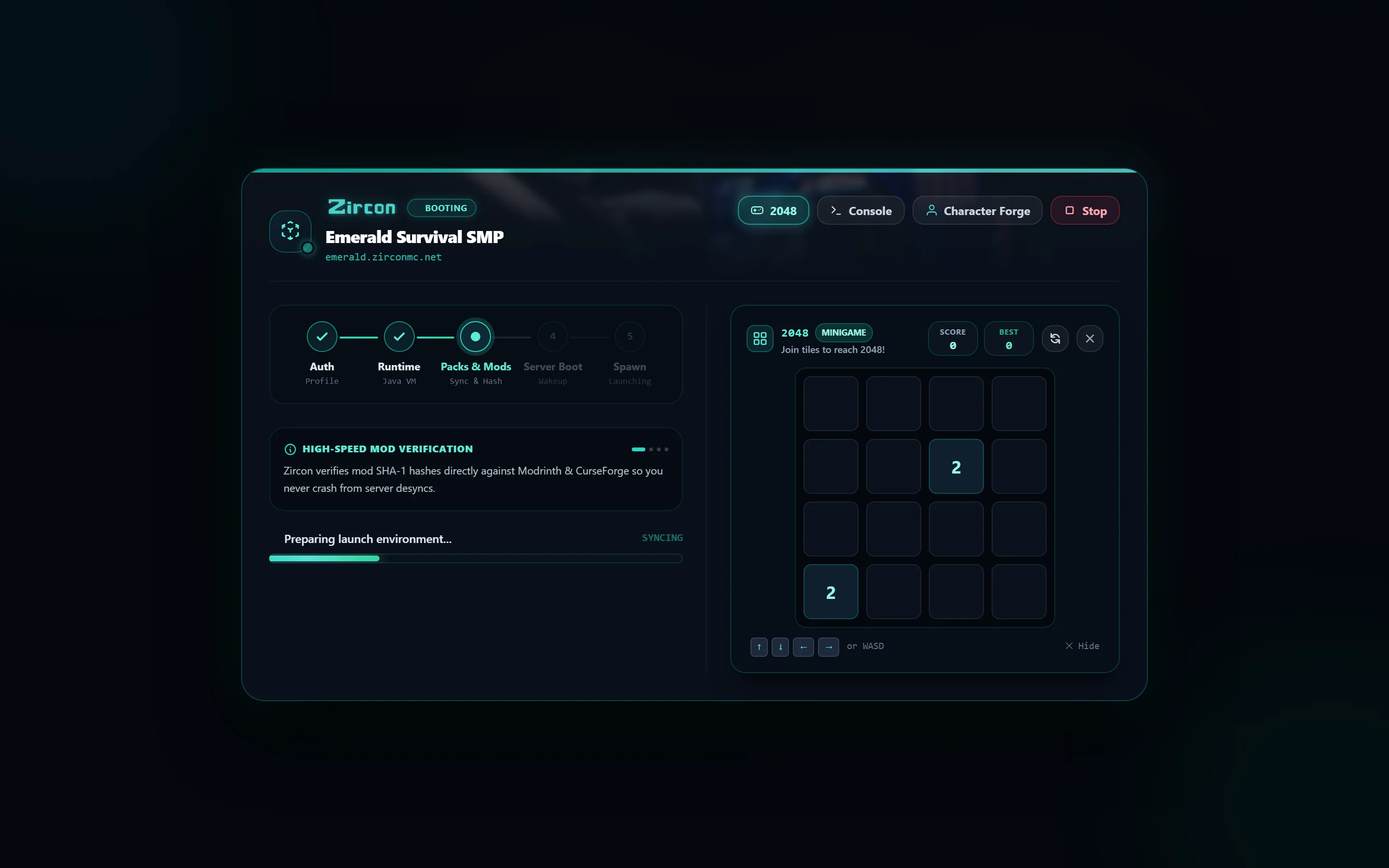
Huwag na tumingin sa frozen Minecraft loading screen muli. Habang ini-initialize ng malalaking Forge o Fabric packs ang textures, maglaro ng built-in 2048 sa loob ng launcher window. Kapag tapos na ang pag-load, pumasok agad habang ipinapakita ng Discord Rich Presence sa mga kaibigan mo kung ano ang ginagalawa mo.
I-customize ang launcher sa iyong personal na aesthetic gamit ang custom accent colors, dark palettes, at configurable view styles.
Maglaro kahit saan nang walang aktibong internet connection. I-import ang existing singleplayer worlds, mag-allocate ng custom RAM, at i-isolate ang modpacks.
Idagdag ang iyong own optional client mods, shaders, resource packs, at keybindings sa anumang server instance nang hindi sinisira ang synchronization.
See why players and server communities are switching to Zircon.
| Feature | CurseForge | Prism Launcher | Zircon |
|---|---|---|---|
| Automatic Mod Sync on Join Pulls exact server mod list & config on PLAY |
❌ Manual Export/Import | ❌ Manual Export/Import | ✓ Automatic (Sub-Second) |
| Universal 1-Click Migration Auto-detects other launchers & imports saves |
❌ No Detection | ⚠️ Partial Manual Zip | ✓ 1-Click Native Rust |
| 4-Player Split-Screen Co-op Gamepad support & window quadrant tiling |
❌ Not Supported | ❌ Not Supported | ✓ Built-in Gamepad Tiling |
| Local Wi-Fi Radar & UPnP Auto-detect LAN friends & 6-digit codes |
❌ No Auto-Discovery | ❌ No Auto-Discovery | ✓ Zero-Config Radar |
| Memory & Startup Footprint Desktop engine memory overhead |
⚠️ ~400MB+ (Electron) | ⚡ ~80MB (C++) | ⚡ ~35MB (Compiled Rust) |
| Privacy & Telemetry User tracking & bundled advertisements |
❌ Ads & Analytics | ✓ Zero Telemetry | ✓ Zero Telemetry / Clean |
| Official Mojang 3D Skin Studio Real-time 3D model rotation & Mojang sync |
❌ Not Available | ❌ Not Available | ✓ Built-in 3D Studio |
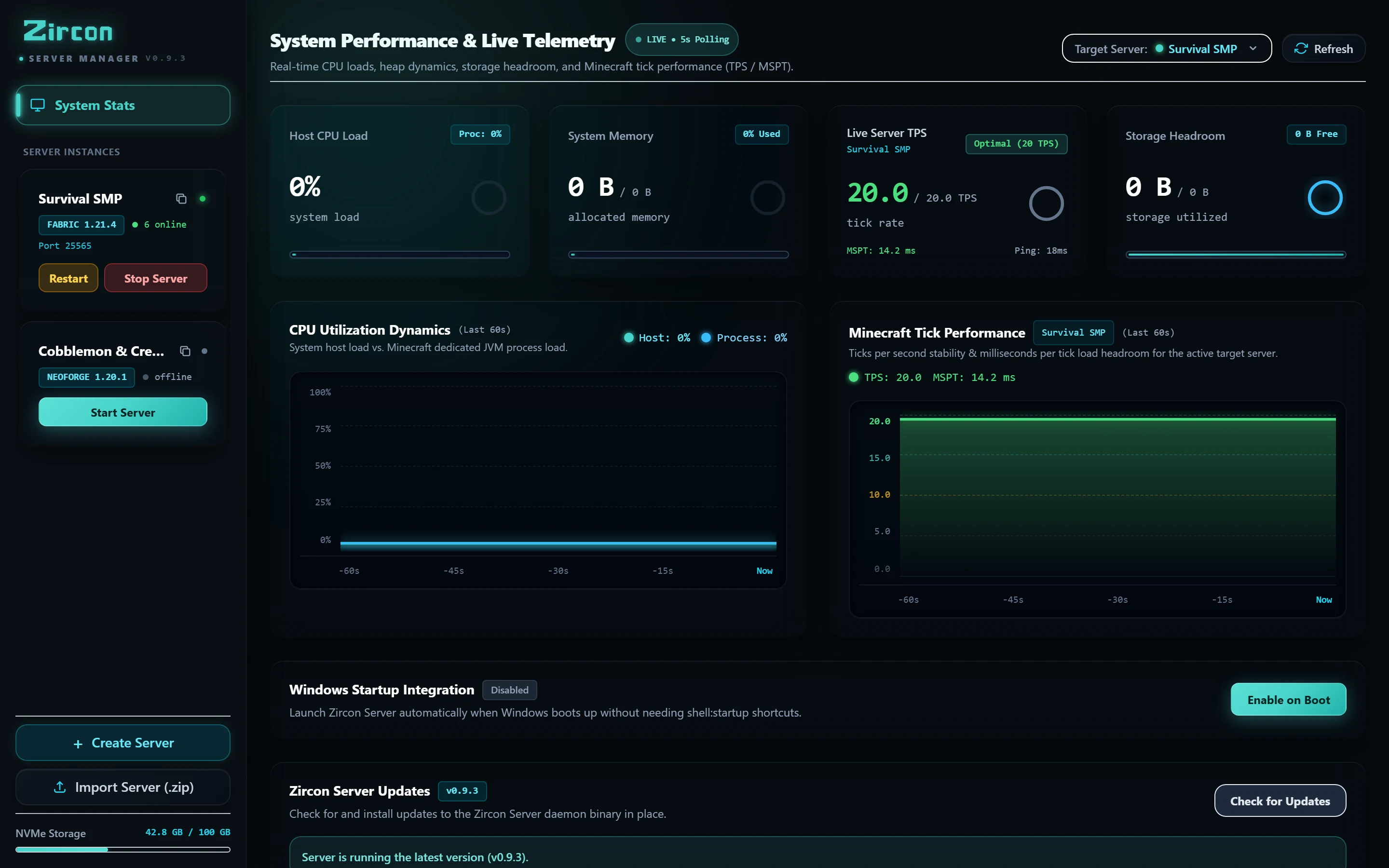
Ang self-hosted management engine sa likod ng Zircon. Walang Docker headaches, walang multi-port firewall nightmare. Patakbuhin ang modded servers na talagang makakakonekta ng mga players nang walang tech support.
Pag-scroll sa mga mod sites para sa "tamang build" at umaasang tugma ito sa ginagamit ng mga kaibigan mo.
Manual na pag-drop ng mod files sa mods/ at pag-delete ng mga nag-crash sa launch.
Pag-compare ng configs sa kaibigan mo nang 1am, isa-isa ang mismatch, habang walang tao sa server.
Ginawa para sa mga taong gustong maglaro ng modded Minecraft kasama ang mga kaibigan — hindi gumugol ng gabi sa pag-reconcile ng mod versions at crash logs.
Pindutin ang PLAY at ididownload ng Zircon ang tamang Minecraft version at mod loader — Fabric, Quilt, Forge, o NeoForge — i-install ang mods, at dalhin ka direkta sa laro.
Maghanap at mag-download ng mods mula sa Modrinth and CurseForge na may verified SHA-512 at fingerprint checks sa bawat launch. Walang kulang, walang luma.
Official Microsoft sign-in — ang password mo ay pupunta sa Microsoft, hindi kailanman sa Zircon. Walang shared logins, walang cracked launchers, walang offline workarounds.
Saved skin selector na may live 3D preview, official Mojang cloud sync, at in-app community skin explorer na kumukuha ng trending skins via API.
Maaaring mag-alok ang servers ng kanilang own shaders at resource packs. Ina-apply ng Zircon ang mga ito kapag sumali ka — sabihin mo lang yes once, at tapos na.
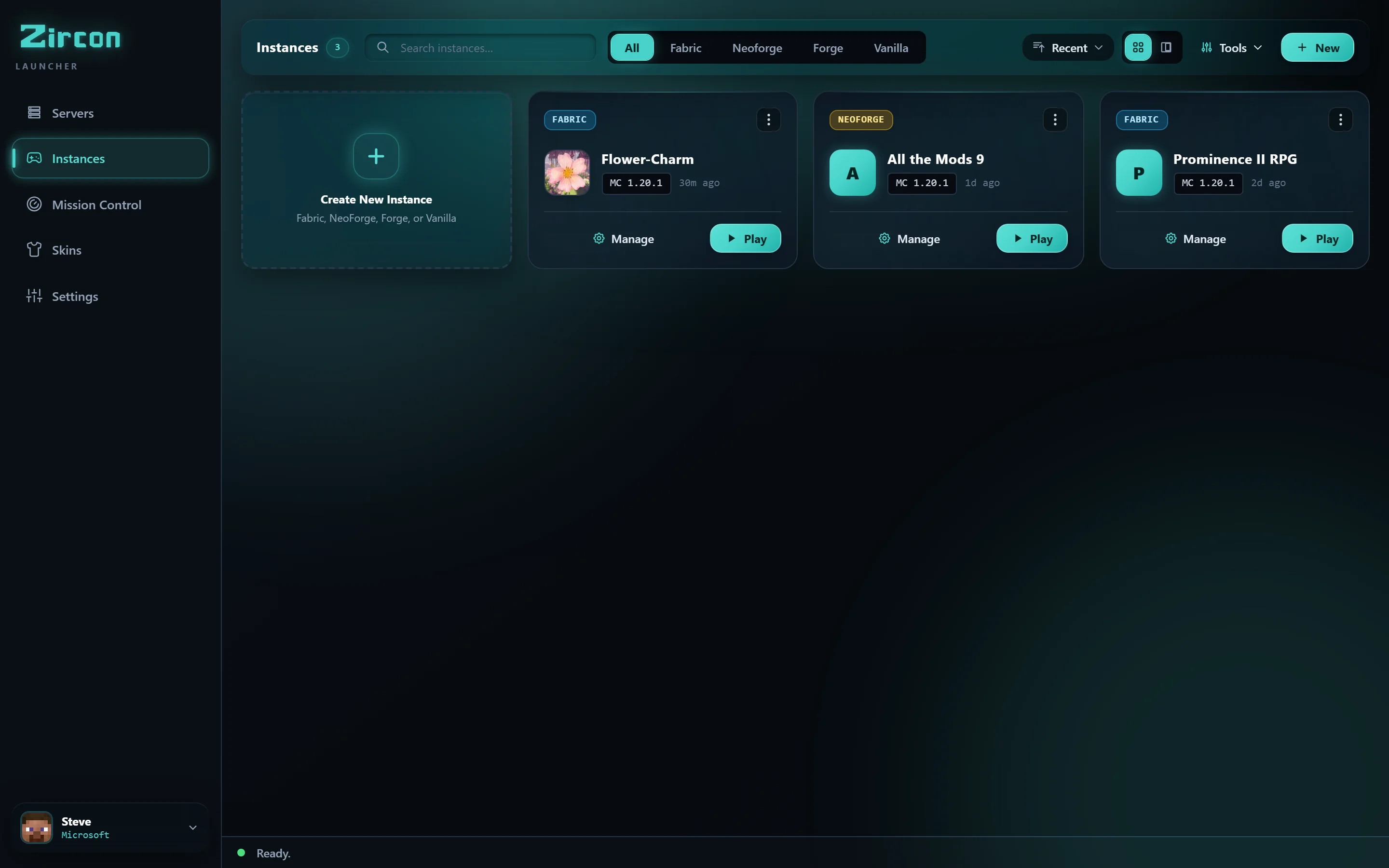
Gumawa ng offline single-player instances na may kanilang own mods, shaders, at texture packs. Walang kailangang server — basta mag-build sa katahimikan.
Isang click, sa iyong browser. Ginagamit ng Zircon ang official Microsoft flow — ang password mo ay hindi kailanman tumatama sa app.
Ang iyong saved servers, pinaka-kamakailan na ginawa ang una — plus recommendations. Ang bawat server ay may sariling listahan ng mods.
Sini-sync at v-verify ng Zircon ang mods mula sa Modrinth & CurseForge, ginigising ang server kung tulog ito, at kinokonekta ka. Nag-spawn ka — fully modded, ready to go.
Zircon connects directly to Microsoft using official browser OAuth 2.0 PKCE authentication. Your credentials are never stored or transmitted to our servers. Every mod file is cryptographically validated with SHA-512 against official Modrinth & CurseForge CDNs.
Lahat ng kailangan mong malaman tungkol sa pagsisimula sa Zircon.
Kapag sumali ka sa server at pinindot ang PLAY, ini-compare ng Zircon ang published Bill of Materials manifest ng server laban sa iyong lokal na client folder. Ang anumang kulang o updated na mods ay v-verify via Modrinth & CurseForge SHA-512 hashes at fingerprints, pagkatapos ay ididownload agad nang parallel nang walang manual na pag-drag ng file.
Oo! Kasama sa Zircon ang native 1-click Universal Migration tool. Awtomatikong nadetect nito ang installed directories mula sa CurseForge, Prism Launcher, Modrinth App, at ATLauncher, kaya maaari mong i-import ang iyong complete instance trees, saves, keybinds, at mod configurations sa loob ng dalawang segundo.
Pinapayagan ka ng Zircon na kumonekta ng hanggang 4 gamepads (Xbox, PlayStation, o generic Bluetooth controllers) at mag-launch ng maraming isolated game windows na inayos sa seamless split-screen grid sa iyong monitor o TV. Kontrolado ng bawat player ang sarili nilang character gamit ang sarili nilang gamepad.
Oo! Suportado ng Zircon ang native searching, installing, at synchronizing ng mods direkta mula sa parehong Modrinth at CurseForge nang walang kailangang API key configuration. Parehong repositories ay fully integrated out of the box.
Oo, ang Zircon ay source-available sa ilalim ng Business Source License 1.1 (BSL 1.1). Parehong client launcher at self-hosted server manager ay 100% libre para sa players, homelabbers, at gaming networks. Ang buong codebase ay bukas para sa public inspection, self-hosting, at community contribution sa GitHub.
Oo. Ang authentication ay ginagawa sa pamamagitan ng standard Microsoft OAuth 2.0 PKCE sa iyong default system browser. Ang iyong login credentials ay direkta napupunta sa Microsoft's login servers at hindi kailanman naa-access, hinahawakan, o iniimbak ng Zircon.
Suportado ng Zircon ang native Fabric, Quilt, Forge, at NeoForge. Awtomatikong ini-install ng launcher ang kinakailangang mod loader version at verified Adoptium Temurin Java runtime kapag binuksan mo ang instance o sumali sa server.
I-download ang libreng open-source launcher, o kunin ang self-hosted server manager.