Zircon 徹底解決模組包版本不一致的問題。選擇伺服器, 點擊 PLAY,所有模組將在幾秒內自動安裝並進行加密驗證。 此外:支援從 CurseForge & Prism 一鍵匯入、4 人同屏合作遊戲,以及 LAN 自動發現功能。
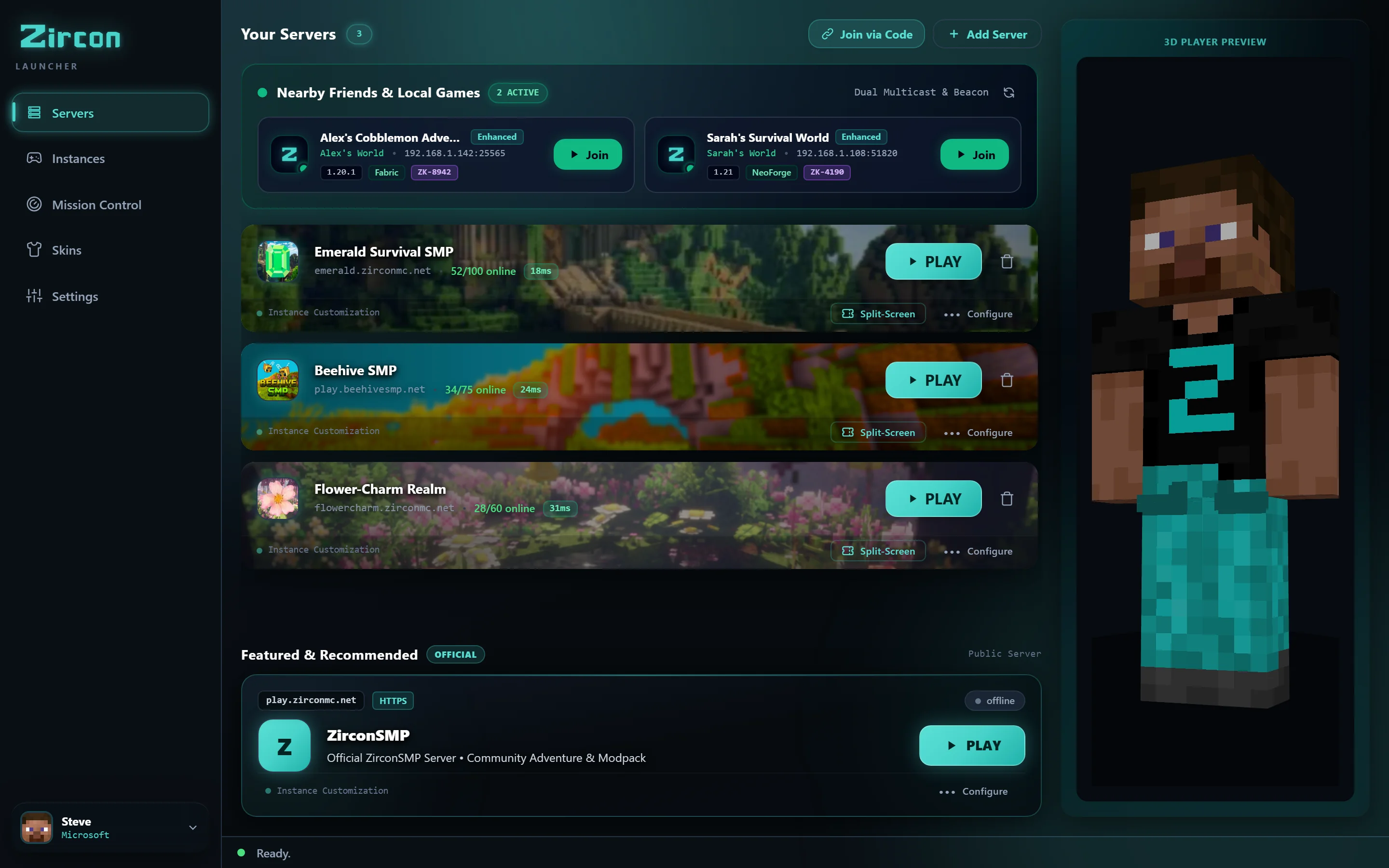
結束遊戲之夜前那兩小時的 Discord 爭論。只需點擊 PLAY 即可進入遊戲。
伺服器透過端口 25565 廣播其精確的材料清單 (BOM) — 包括模組 ID、版本雜湊值、載入器和配置。
啟動器在毫秒內掃描你的本地實例,跳過你已擁有的檔案,僅標記缺失的部分。
缺失的檔案直接從 Modrinth 和 CurseForge CDN 平行下載。零損壞 JAR,零版本不匹配。
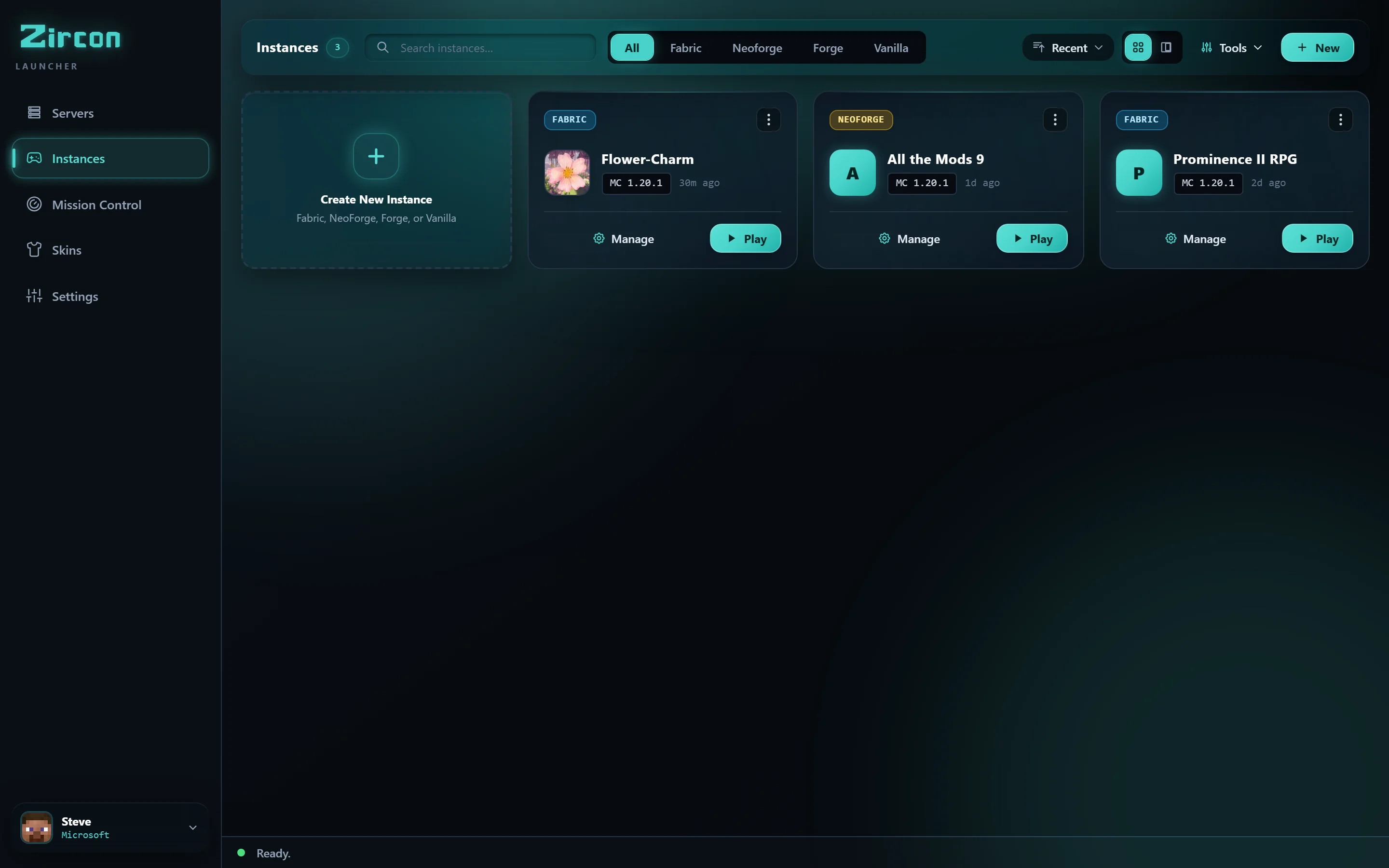
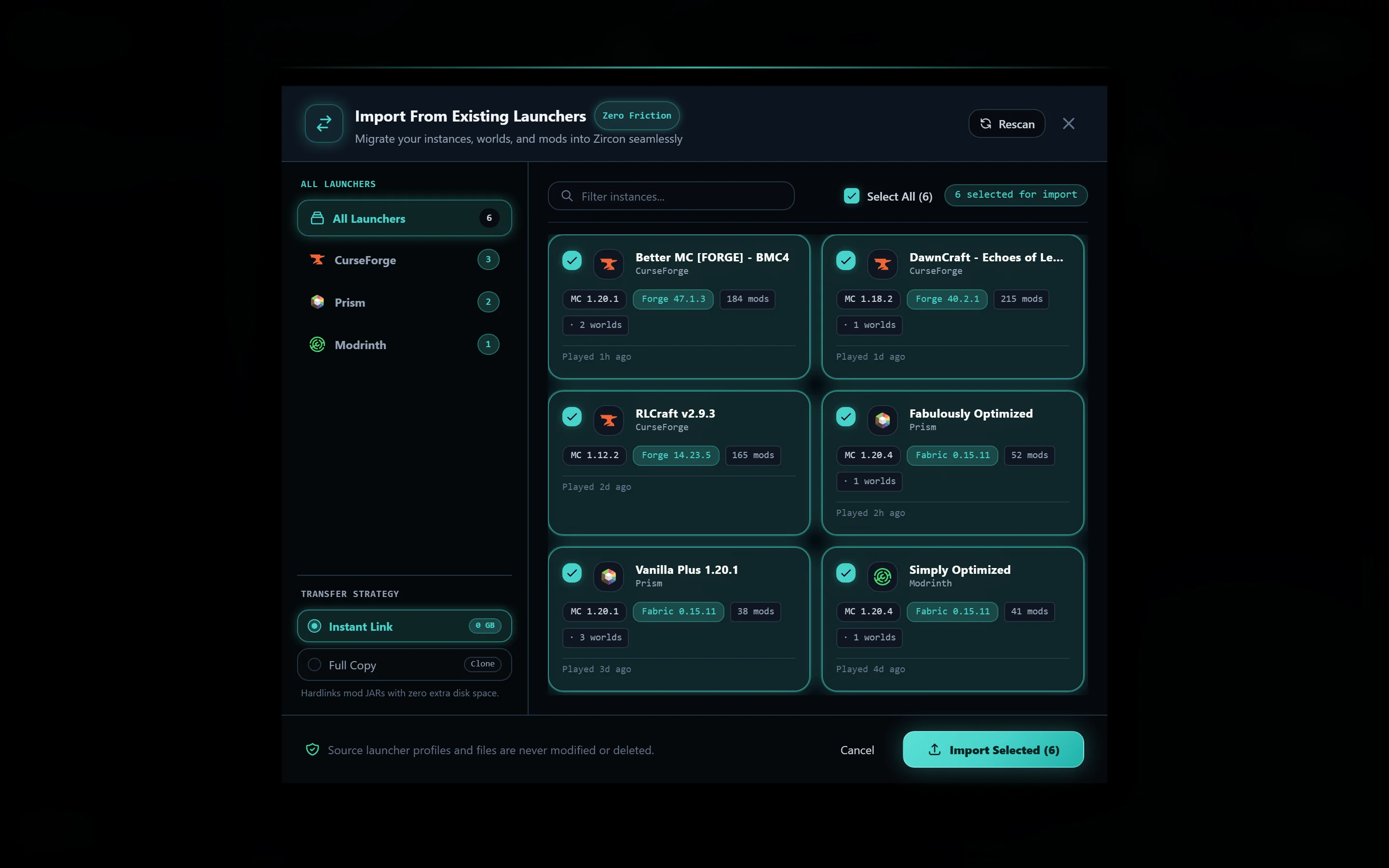
不要拋棄你的世界、按鍵綁定或模組包實例。Zircon 會自動偵測你已安裝的啟動器,並在不到 2 秒內無損遷移它們。

自動偵測模組包、覆蓋層、自定義配置和世界存檔。

匯入實例樹、JVM 參數和世界存檔。
保留 MR 包、索引檔案和自定義資源包。

傳輸實例、自定義備份和紋理包資料夾。
當你啟動 Zircon 時,我們的原生 Rust 偵測器會定位系統中已安裝的配置檔。選擇你想匯入的實例,Zircon 將把所有內容遷移到乾淨、隔離的沙盒中。
Every feature in Zircon was designed to remove friction so you spend your night playing, not troubleshooting.
Zero modpack mismatches. When you hit PLAY, Zircon connects to the server and computes cryptographic SHA-512 hashes against official Modrinth and CurseForge CDNs. Only missing delta files are fetched in parallel. No 1GB Google Drive zip archives ever again.
Instant zero-config multiplayer. Detects active LAN games on your home Wi-Fi automatically. Playing over the internet? Share a 6-digit Join Code with automated UPnP port forwarding—no Hamachi needed.
Switching from CurseForge, Prism, Modrinth, or ATLauncher? Our native Rust importer detects your profiles and copies saves, keybinds, and mod configurations in under 2 seconds.
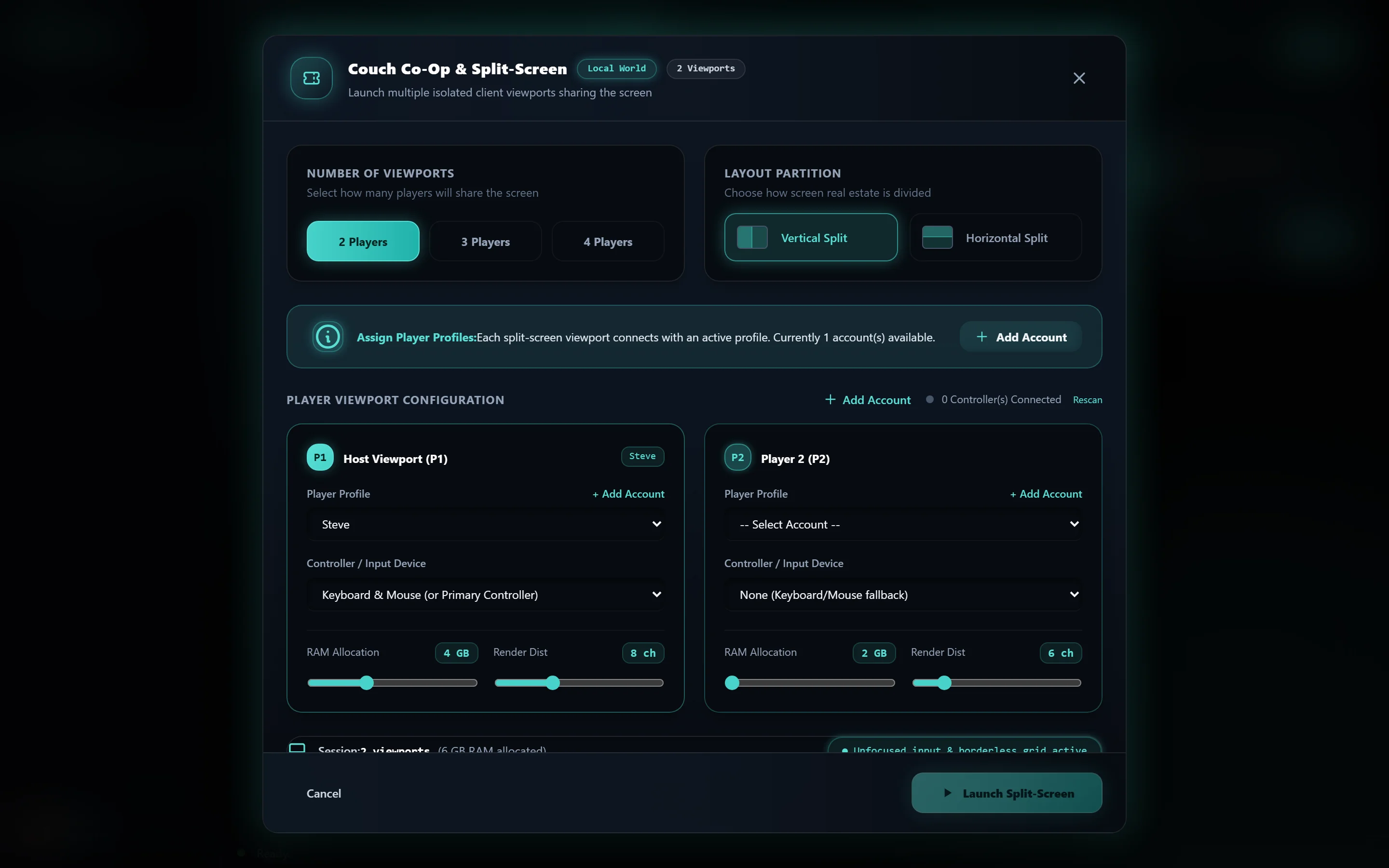
Turn your PC or TV into a living room console. Connect up to 4 Xbox, PlayStation, or generic Bluetooth gamepads and play modded Java Edition side-by-side with separate player profiles, skins, and viewport tiling.
你一直希望其他啟動器具備的所有功能 — 直接內建在你的桌面應用程式中。
將你的 PC 或客廳電視變成分屏遊戲機。連接多達 4 個 Xbox、PlayStation 或通用藍牙遊戲手柄,並肩遊玩模組化的 Java 版,擁有獨立的物品欄、視口和皮膚。
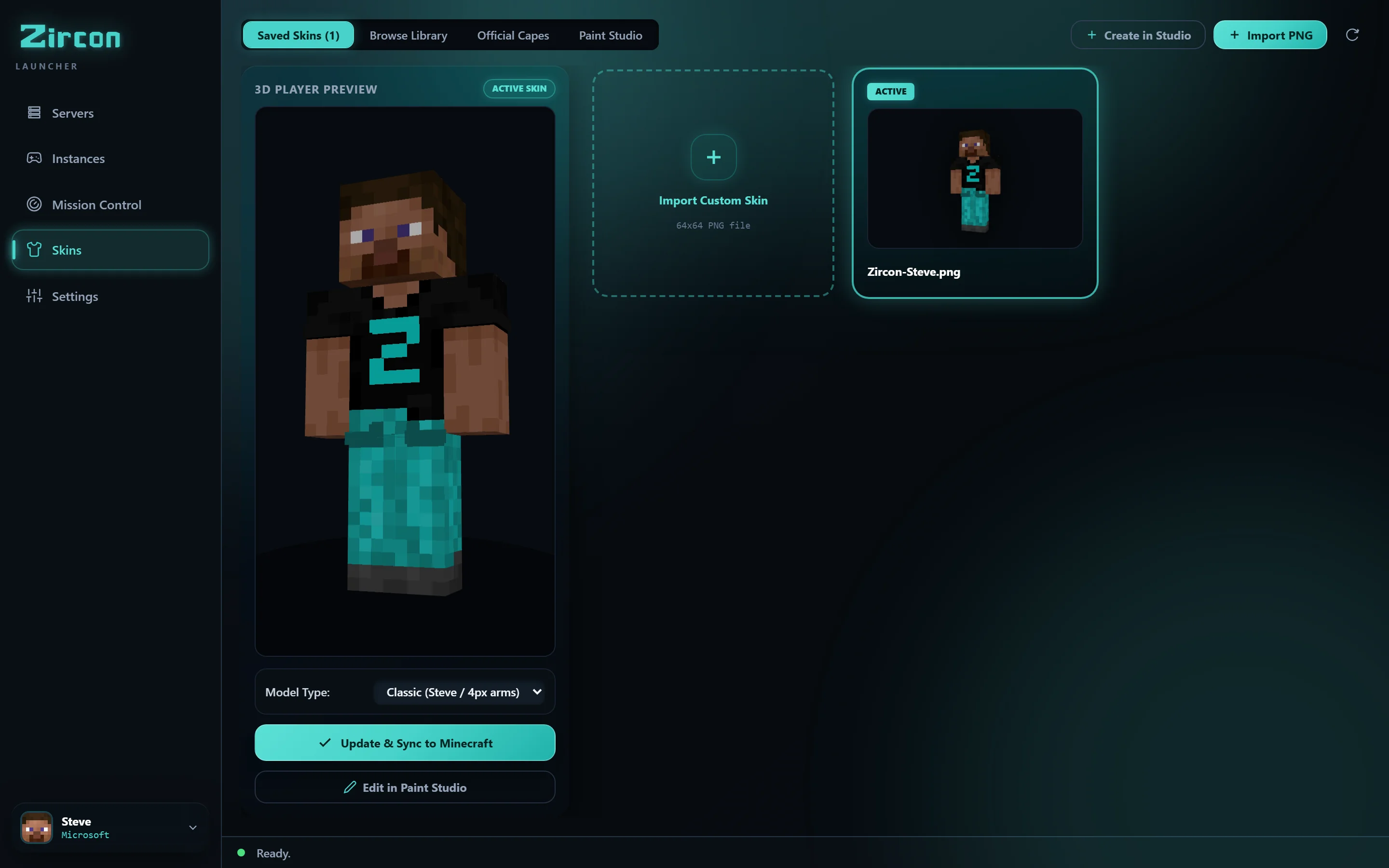
停止猜測皮膚載入後的樣子。在即時 3D 中旋轉你的角色,瀏覽透過 API 直接獲取的數千款熱門社群皮膚,並一鍵同步到官方 Mojang 伺服器。
無需複製貼上 IP 地址。無需 Hamachi 虛擬網路。無需開啟路由器防火牆端口。當有人在你的本地 Wi-Fi 上啟動世界或伺服器時,它會自動彈出。透過互聯網遊玩?分享一個 6 位數的加入代碼,配合自動 UPnP 端口轉發。
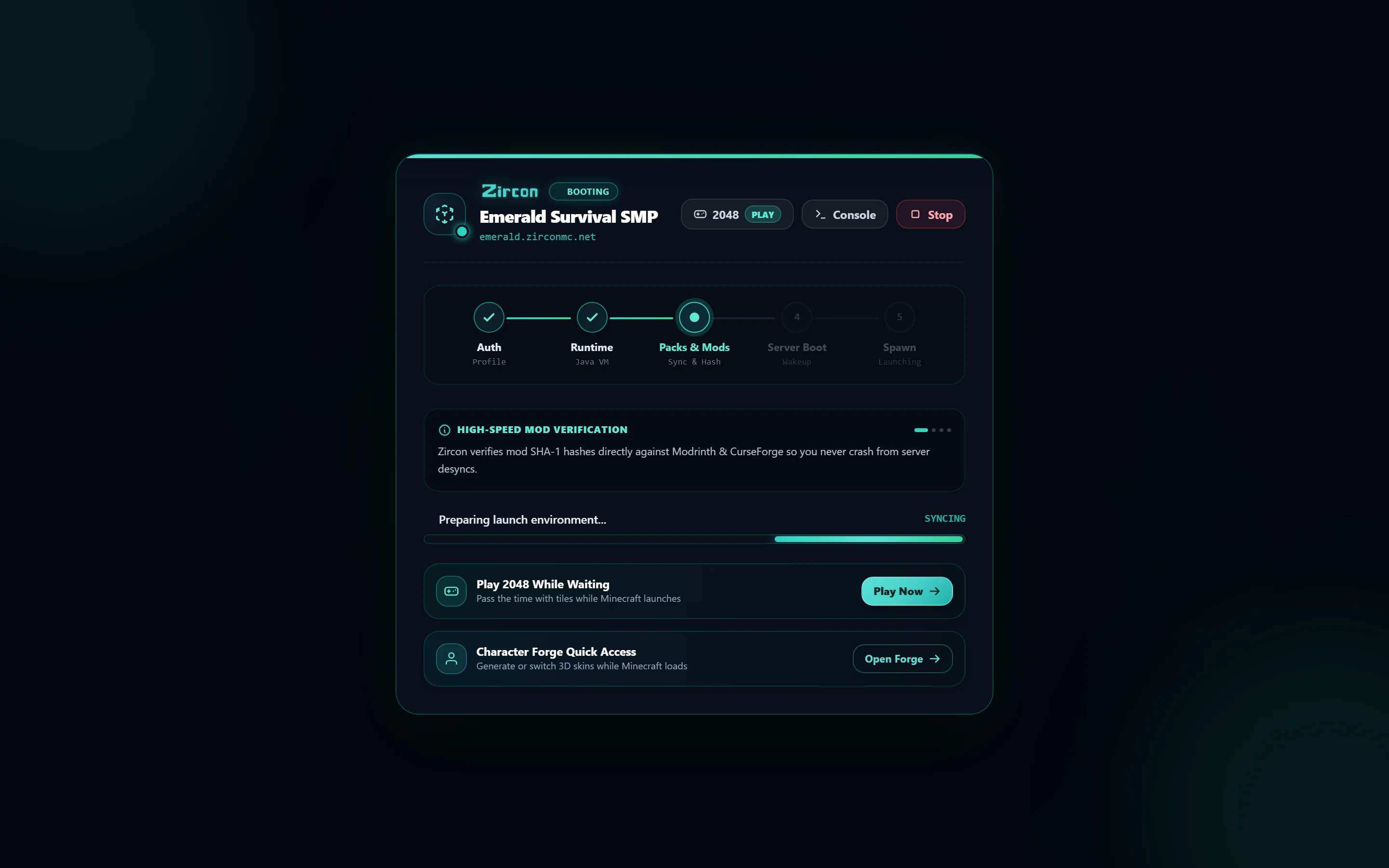
再也不必盯著卡住的 Minecraft 載入畫面。當龐大的 Forge 或 Fabric 包初始化紋理時,直接在啟動器視窗中玩內建的 2048。遊戲載入完成後,立即投入遊戲,同時 Discord Rich Presence 向你的朋友顯示你正在玩什麼。
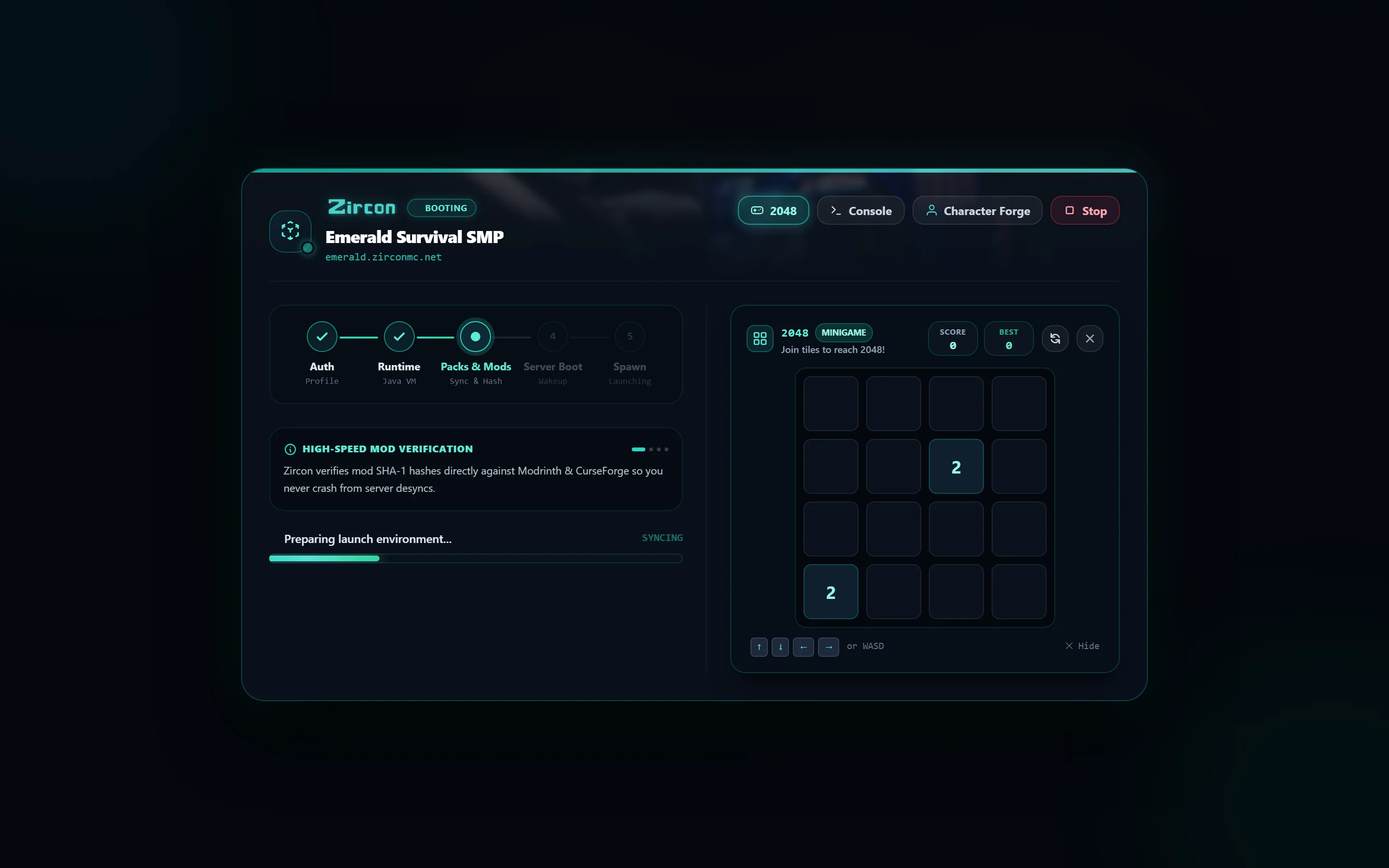
透過自定義強調色、深色調板和可配置的視圖樣式,將啟動器調整為符合你的個人美學。
無需活躍的互聯網連接即可在任何地方遊玩。匯入現有的單人世界,分配自定義 RAM,並隔離模組包。
向任何伺服器實例添加你自己的可選客戶端模組、著色器、資源包和按鍵綁定,而不破壞同步。
See why players and server communities are switching to Zircon.
| Feature | CurseForge | Prism Launcher | Zircon |
|---|---|---|---|
| Automatic Mod Sync on Join Pulls exact server mod list & config on PLAY |
❌ Manual Export/Import | ❌ Manual Export/Import | ✓ Automatic (Sub-Second) |
| Universal 1-Click Migration Auto-detects other launchers & imports saves |
❌ No Detection | ⚠️ Partial Manual Zip | ✓ 1-Click Native Rust |
| 4-Player Split-Screen Co-op Gamepad support & window quadrant tiling |
❌ Not Supported | ❌ Not Supported | ✓ Built-in Gamepad Tiling |
| Local Wi-Fi Radar & UPnP Auto-detect LAN friends & 6-digit codes |
❌ No Auto-Discovery | ❌ No Auto-Discovery | ✓ Zero-Config Radar |
| Memory & Startup Footprint Desktop engine memory overhead |
⚠️ ~400MB+ (Electron) | ⚡ ~80MB (C++) | ⚡ ~35MB (Compiled Rust) |
| Privacy & Telemetry User tracking & bundled advertisements |
❌ Ads & Analytics | ✓ Zero Telemetry | ✓ Zero Telemetry / Clean |
| Official Mojang 3D Skin Studio Real-time 3D model rotation & Mojang sync |
❌ Not Available | ❌ Not Available | ✓ Built-in 3D Studio |
Zircon 背後的自託管管理引擎。沒有 Docker 麻煩,沒有多端口防火牆惡夢。運行你的玩家可以實際連接的模組化伺服器,無需技術支援。
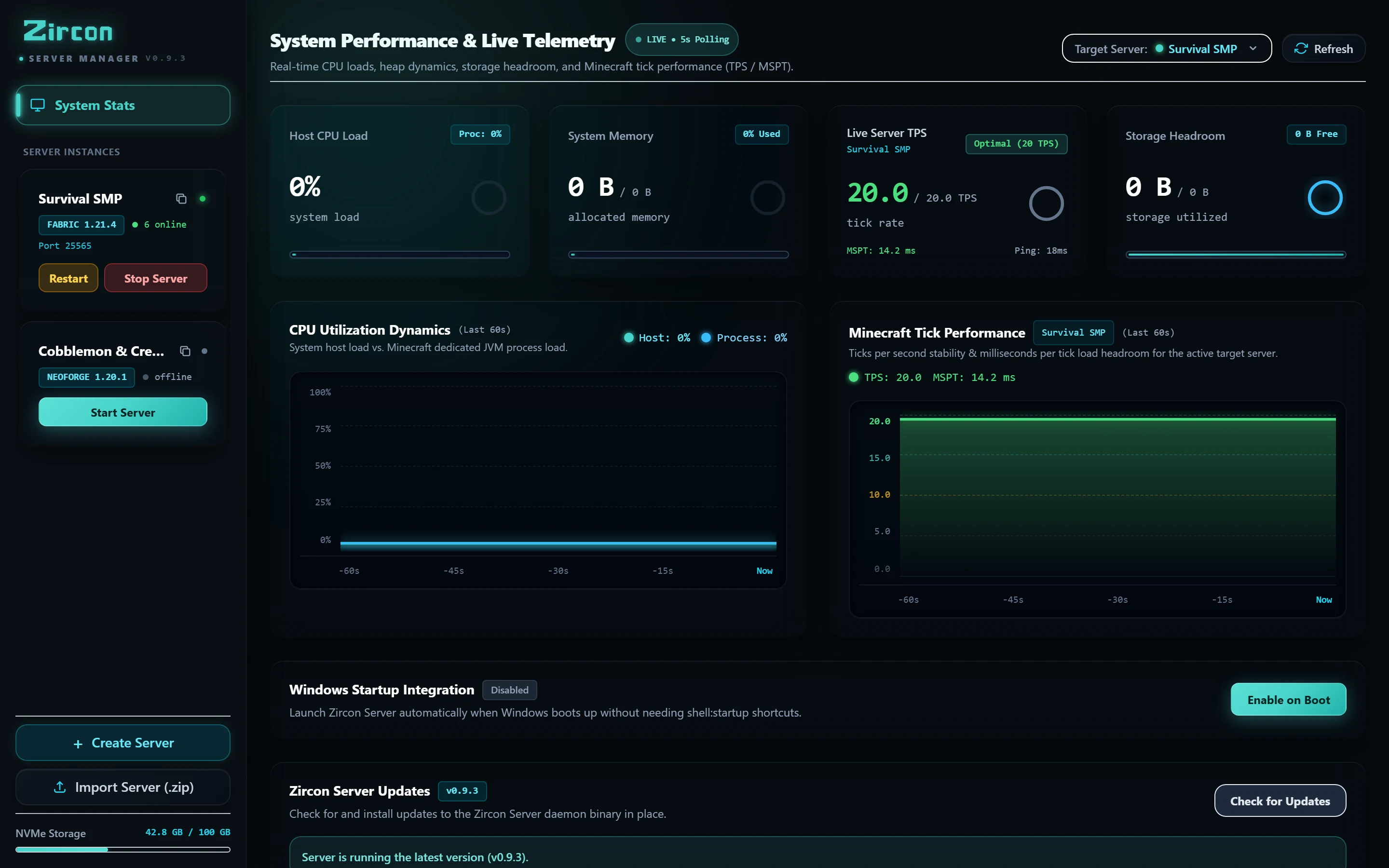
在模組網站上滾動尋找「正確的構建」,並希望它與你的朋友運行的相匹配。
手動將模組檔案放入 mods/ 並刪除那些導致啟動崩潰的檔案。
凌晨一點與朋友逐個比較配置差異,而伺服器卻空無一人。
專為想要與朋友 遊玩模組化 Minecraft 的人打造 — 而不是 花整個晚上協調模組版本和崩潰日誌。
點擊 PLAY,Zircon 會下載正確的 Minecraft 版本和模組載入器 — Fabric, Quilt, Forge, or NeoForge — 安裝模組,並讓你 直接進入遊戲。
從 Modrinth 和 CurseForge 搜尋與下載模組,每次啟動都進行 SHA-512 和指紋驗證。無遺漏,無過期。
官方 Microsoft 登入 — 你的密碼只會傳給 Microsoft,絕不會傳給 Zircon。無共享登入,無破解啟動器,無離線變通方法。
帶有即時 3D 預覽、官方 Mojang 雲端同步以及透過 API 獲取熱門皮膚的應用內社群皮膚瀏覽器的已保存皮膚選擇器。
伺服器可以提供它們自己的著色器和資源包。Zircon 在你加入時套用 它們 — 你只需說一次 Yes,就完成了。
創建具有自己模組、著色器和 紋理包的離線單人實例。無需伺服器 — 只需安靜地建造。
在你的瀏覽器中一鍵點擊。Zircon 使用官方的 Microsoft 流程 — 你的密碼永遠不會接觸到該應用程式。
你保存的伺服器,最近遊玩的排在前面 — 還有推薦。 每個伺服器都會帶來自己的模組列表。
Zircon 從 Modrinth & CurseForge 同步並驗證模組,如果伺服器處於休眠狀態則將其喚醒, 並連接你。你生成了 — 完全模組化,準備就緒。
Zircon connects directly to Microsoft using official browser OAuth 2.0 PKCE authentication. Your credentials are never stored or transmitted to our servers. Every mod file is cryptographically validated with SHA-512 against official Modrinth & CurseForge CDNs.
關於開始使用 Zircon 你需要知道的一切。
當你加入伺服器並點擊 PLAY 時,Zircon 會將伺服器發布的材料清單 (BOM) 與你的本地客戶端文件夾進行比較。任何缺失或更新的模組都會通過 Modrinth & CurseForge SHA-512 雜湊值和指紋進行驗證,然後無需手動拖拽檔案即可即時平行下載。
是的!Zircon 包含一個原生的 1 鍵通用遷移工具。它會自動偵測來自 CurseForge、Prism Launcher、Modrinth App 和 ATLauncher 的已安裝目錄,讓你在不到兩秒鐘的時間內匯入完整的實例樹、存檔、按鍵綁定和模組配置。
Zircon 允許你連接多達 4 個遊戲手柄(Xbox、PlayStation 或通用藍牙控制器)並啟動多個隔離的遊戲窗口,在你的監視器或電視上排列成無縫的分屏網格。每位玩家使用自己的遊戲手柄控制自己的角色。
是的!Zircon 原生支持直接從 Modrinth 和 CurseForge 搜尋、安裝和同步模組,無需配置任何 API 密鑰。這兩個倉庫都已開箱即用完全整合。
是的,Zircon 在商業源許可證 1.1 (BSL 1.1) 下提供源代碼。客戶端啟動器和自託管伺服器管理器對玩家、家庭實驗室用戶和遊戲網絡均 100% 免費。整個代碼庫在 GitHub 上公開供檢查、自託管和社區貢獻。
是的。身份驗證通過標準的 Microsoft OAuth 2.0 PKCE 在你的默認系統瀏覽器中執行。你的登錄憑據直接發送到 Microsoft 的登錄服務器,Zircon 從未訪問、處理或存儲它們。
Zircon 原生支持 Fabric, Quilt, Forge, and NeoForge。當你啟動實例或加入伺服器時,啟動器會自動安裝所需的模組載入器版本和經過驗證的 Adoptium Temurin Java 運行時。